
BrightPay Cloud Employer Portal
The BrightPay Cloud Client Portal allows you to securely access payroll information shared with you by PayrollAbility. The portal gives you convenient access to payroll reports, employee information and important documents in one secure location.
BrightPay Cloud Employer Portal: Introduction
You can access the portal from any device using your login details provided in your invitation email.
Through the portal you can:
- View payroll reports
- Access employee information
- Download documents
- Approve or review payroll information
- Mange employee holiday and requests (optional feature)
Portal Navigation Overview
The BrightPay Cloud portal is organised into five main sections. Each section contains action buttons that allow you to access different areas of your payroll information.
Dashboard
• Quick access to frequently used areas
Employer
• View/Edit Details
• Employer Calendar
• Manage Users (optional feature)
How-To Guides
At PayrollAbility, we’ve also put together some handy how-to guides on viewing and approving your current month’s payroll, approving or declining holiday requests, and more.
Getting Started
Invitation Email
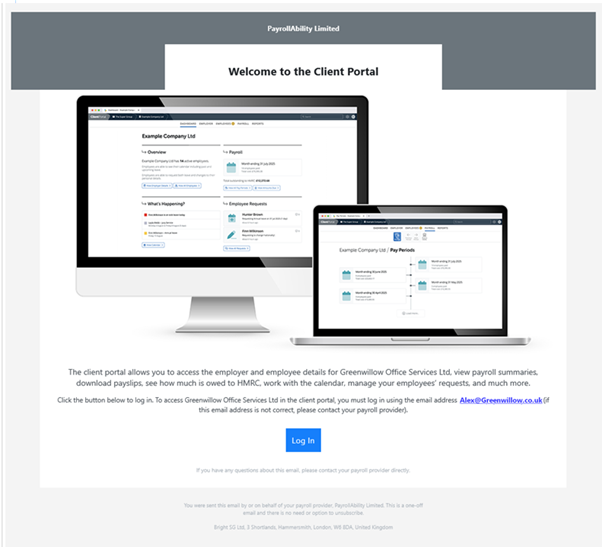
You will receive an invitation email from:
BrightPay
Subject: Welcome to the Client Portal
Click the Log In button in the email to activate your account and confirm your access. The log-in button will take you to https://client.brightpay.com/
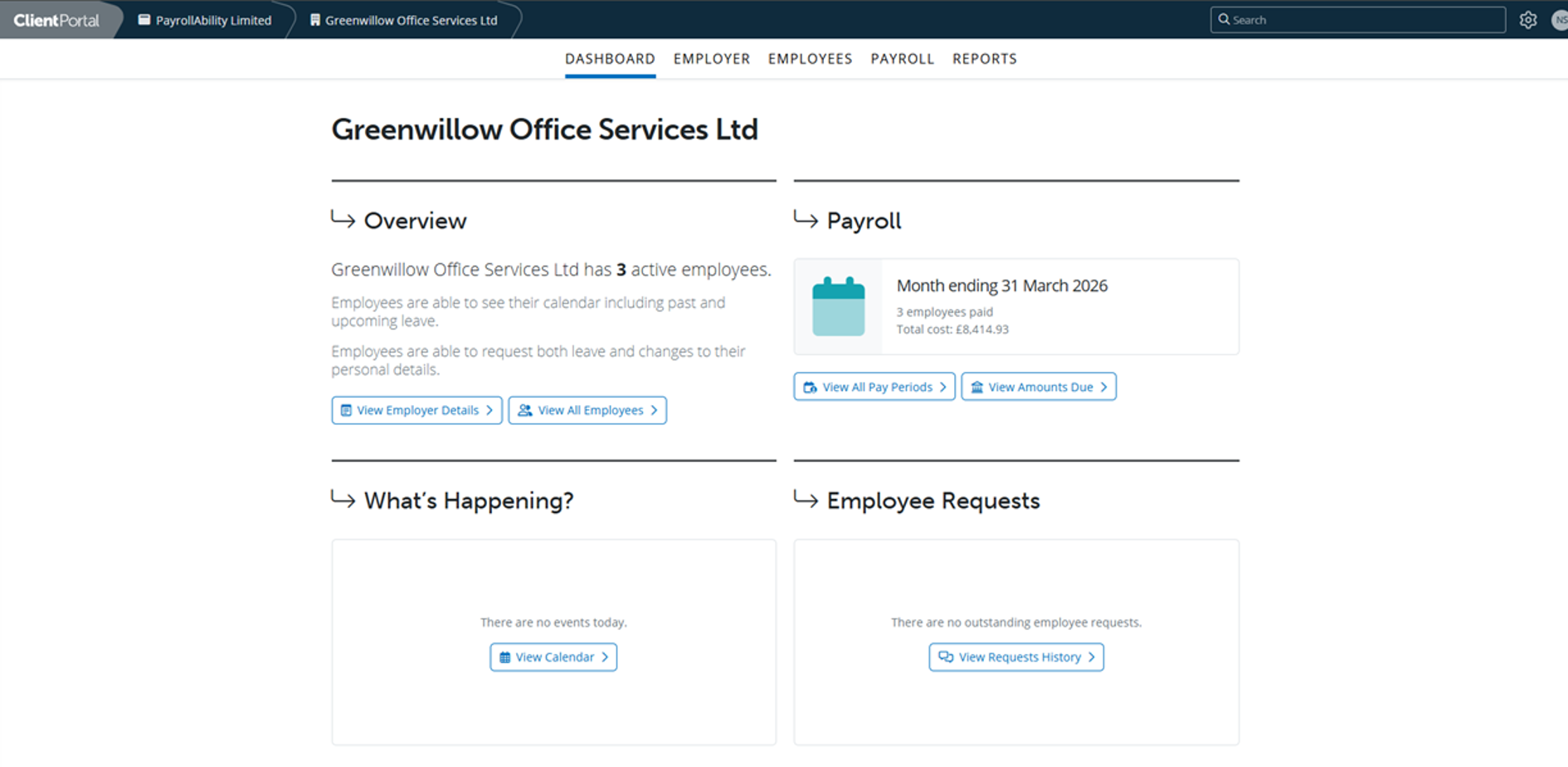
Once logged in, you will see the Cloud Client Dashboard.
Portal Overview
Dashboard
The Dashboard provides an overview of recent activity and quick access to commonly used information within the portal.
The optional features of holiday management and employee requests will not be visible if you manage your holiday in-house and/or have elected to not enable employees to request changes to their employee information held within payroll.
Employer
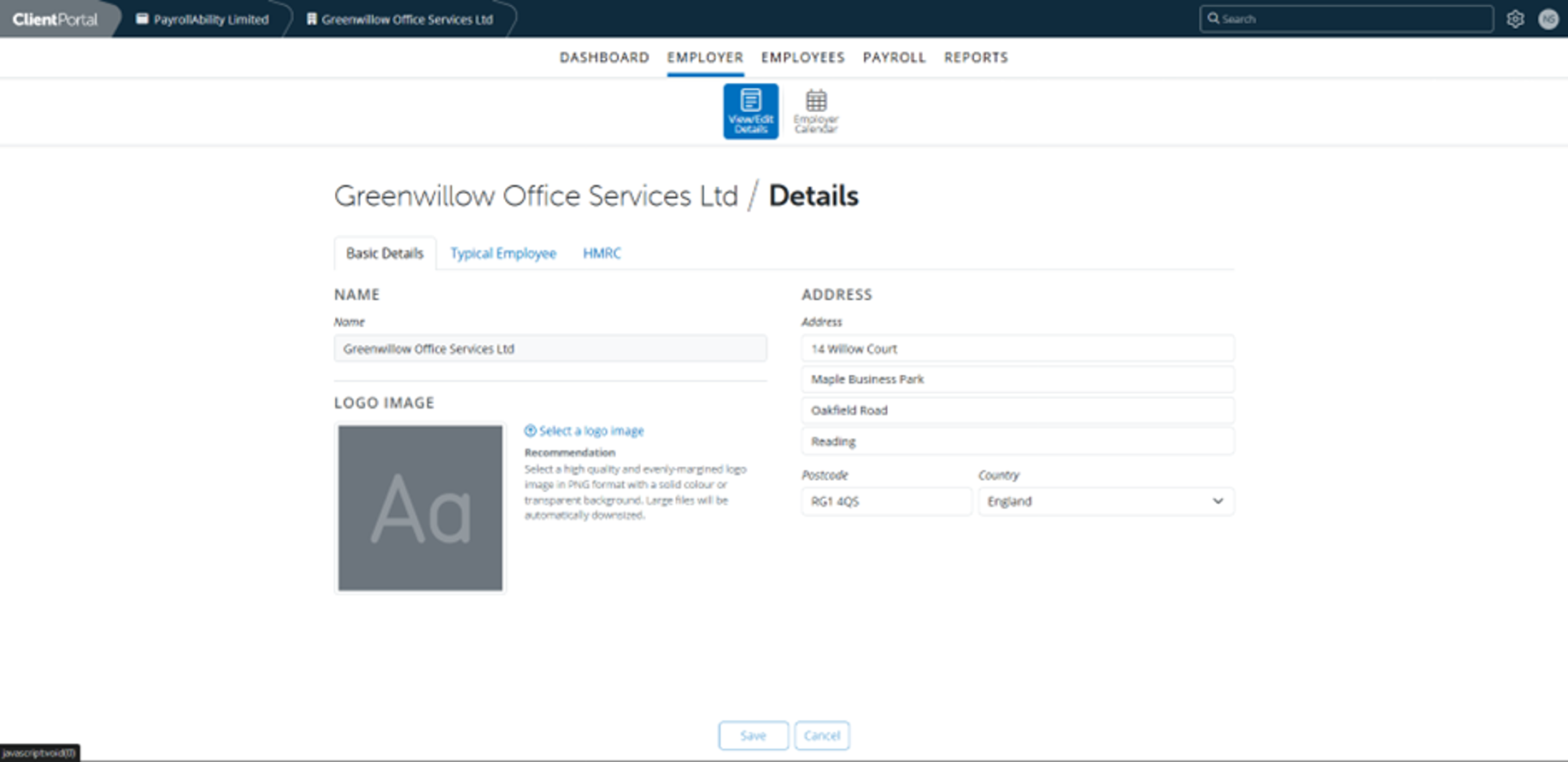
The Employer section contains information about your company and employer settings.
Employer Calendar
Two action buttons are available:
View/ Edit Details
- Displays your company name, address and postcode.
- You also have the option to upload a company logo.
Typical Employee
Shows the default settings used when employees are added to the payroll, including:
- Pay settings
- Working day settings
- Annual leave entitlement
- Minimum wage profile
HMRC
- This section displays HMRC information once payroll submissions have been made to HMRC by PayrollAbility as your agent.
The Employer Calendar helps track payroll events and important dates.
You can view the calendar in several formats using the action buttons:
- Planner View
- Monthly View
- Weekly View
You can also move between weeks using Previous Week and Next Week, and use Show/Hide Events to control which payroll events are displayed.
Manager Users (Optional Feature)
Individuals within your organisation that have been allocated ‘super-user’ access can add other standard users to the client portal and allocate their permissions.
Employees
The Employees section provides access to employee information and related resources.
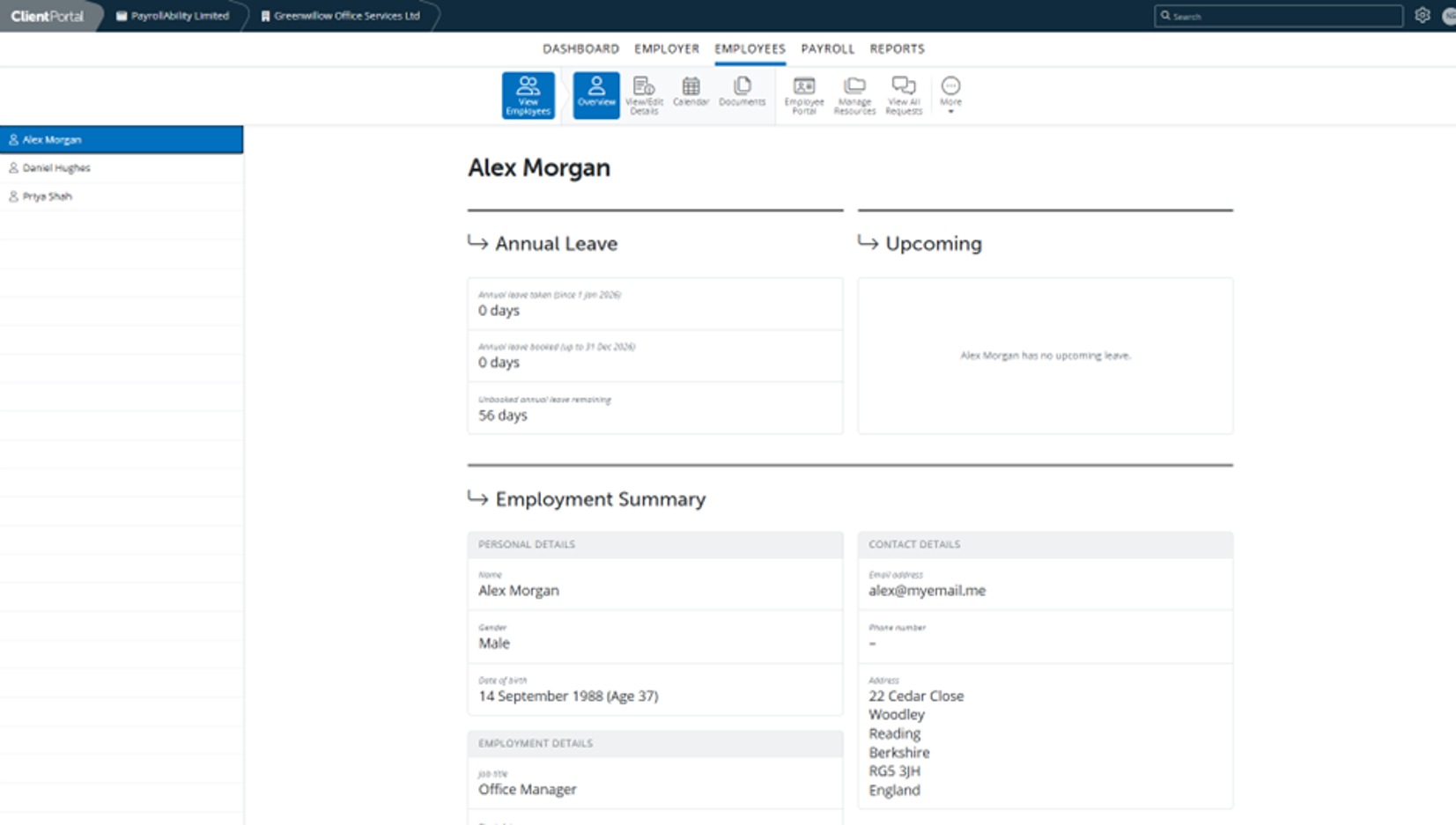
The available action buttons include:
- View Employees
- Employee Portal
- Manage Resources – Documents can be uploaded the Client Portal which can then be shared with employees.
- View All Requests (optional feature) Holiday requests and employee requests to change personal information (home address etc) can be approved or declined.
- More – here you can access employees annual leave reports and calendar reports, and email Employee Portal Instructions to Employees.
View Employees
This area displays a list of employees and allows you to view employee information.
The available action buttons include:
- Overview
- View/Edit Details
- Calendar
- Documents – Payslips and P45/P60’s can be viewed and download.
Employee Portal Setting
This area enables customisation of setting, access and dates for document availability. Here:
- Payslip notification can be switched on or off.
- Employee calendar and the ability to request holiday can be switched on or off and whether the employee can see other employees’ holiday and calendar can be selected.
- Employee request (holiday and changes to personal details) can be switched on or off.
- Global managers can be added
- Document availability can be set (when payslips, P60 and P45 and P11d, if applicable, are available for download).
Payroll
The Payroll section provides access to payroll runs and related payroll information.
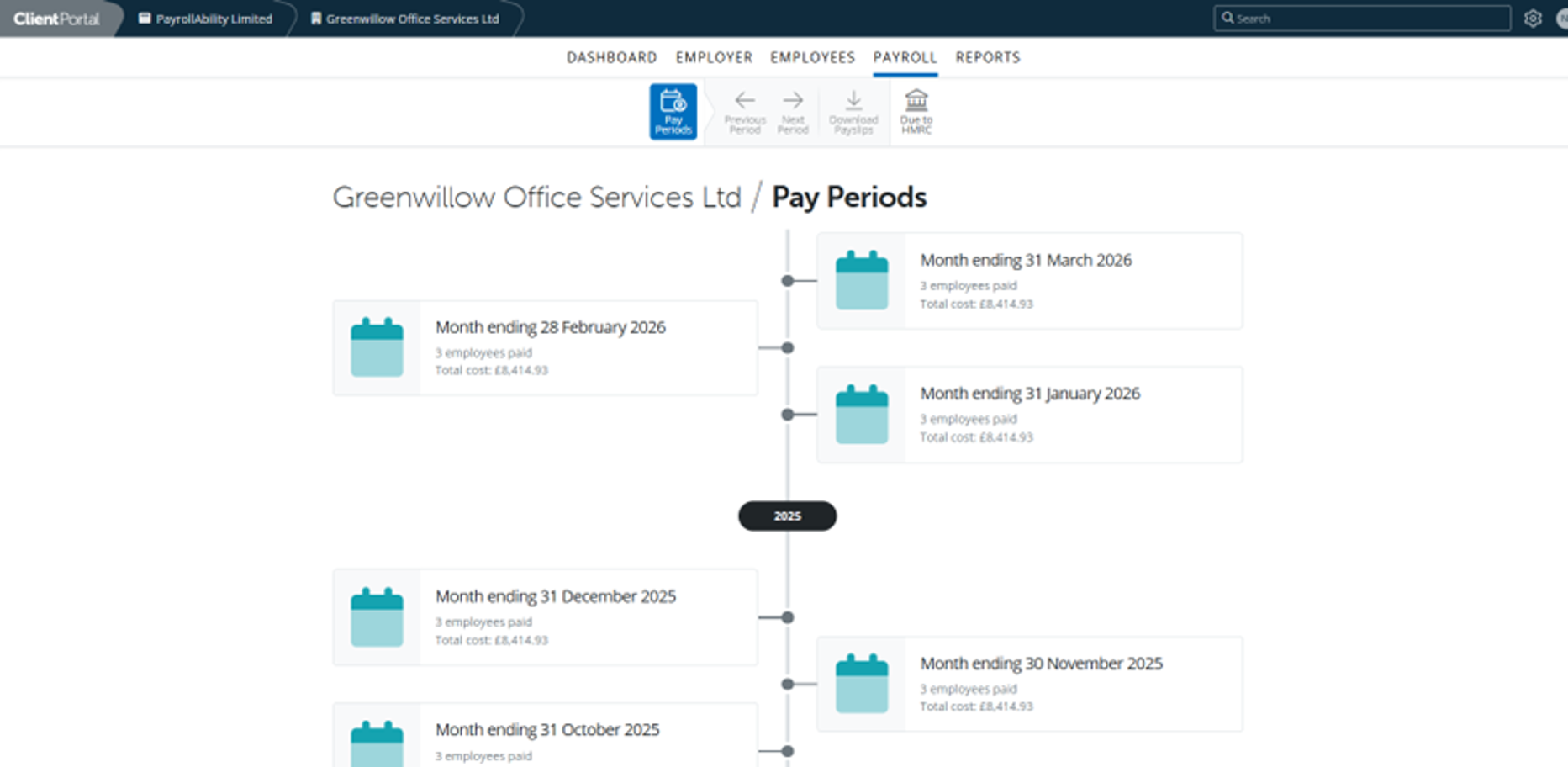
The available action buttons include:
Pay Periods
View and approve the current month’s payroll. Review payroll records for previous completed months from a month or individual employee level.
Due to HMRC
Download P30s and view the amount due to HMRC each month, due date and payment reference. Update payment amounts and date payment made.
Reports
Provides access to payroll reports and documents.
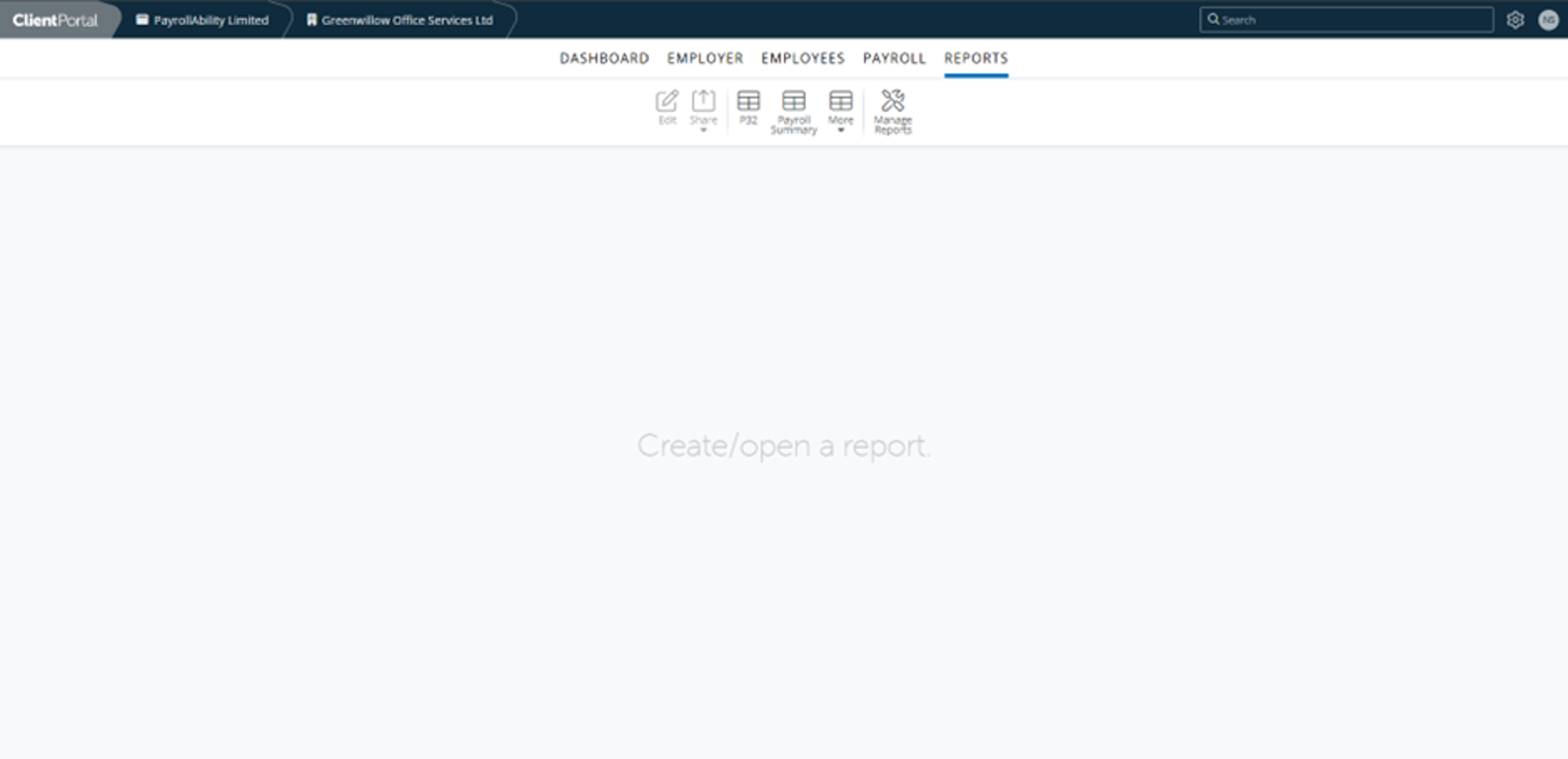
Here you can view, customise and download reports for all completed payrolls.
Need Help?
If you have any questions about accessing the portal or locating information, please contact:
nadine@payrollability.co.uk or call 01273 56 92 27
View and Approve Current Month Payroll
- Select Payroll from the main menu
- Click the Pay Periods action button
- Choose the pay period headed Approval Requested. You can do this either by using the Tools Dropdown above the “Cost to Employer” column, or clicking on each employee to review their individual payslip.
- If you have any notes or queries about this payroll period, please add them to the Chat Box.
- Once you’ve finished reviewing everything, click Mark as Submitted at the bottom of the page.
- We will be notified that you have approved payroll.
How-to Guides
Approving/ Declining Holiday
- Select Employee from the main menu.
- Click View Employees.
- Select the employee from the list on the left.
- Click View All Requests.
- Requests requiring a response will be shown. Any requests previously manged will be held as a historical record.
- Click on the request and approve or decline.
- The employee will be notified by email of your decision. Holiday will be updated in their calendar if approved, and personal data will be updated as necessary.
Locating and viewing the Holiday Reports - Annual Leave Entitlement Summary
Select Employee from the main menu.
- Click More.
- Select from Annual Leave Entitlement.
- Choose the date to calculate entitlement on, whether you want a summary of all employees or separate reports for each employee, and which employees to include in the report, and click OK.
- You can download or print the report.

Viewing an Individual Employees Previous Payslips
- Select Employees from the main menu.
- Click View Employees.
- Select the employee from the list on the left.
- Select Documents.
- Select the payslip you wish to see. Click on Load More for earlier payslips, P60 or pension letters.
Locating and viewing the Holiday Reports - Calendar Report
- Select Employee from the main menu.
- Click More.
- Select from Calendar Report.
- Choose the start and end months, whether you want a full calendar, list of leave, list of notes and/or summary of leave.
- Choose which employees to include in the report.
- Choose any Event Type to exclude from the report.
- Click OK.
- You can download or print the report.
If you are looking for payroll services for carers, why not outsource it with PayrollAbility. Get in touch with our team today to discuss how we can help your business will all things payroll, tax and pensions.
Call us today on 01273 56 92 27, or complete our contact form and our team will be in touch with you as quickly as possible.
You can find out more about our process on our contact page, or read more about how our services can help you online.
We look forward to hearing from you!
Follow Us on Social Media
Providing Payroll Outsourcing Services across the UK, including Birmingham, London, Shrewsbury, Reading, Cambridge, Oxford, Norwich, Stafford, Nottingham, Manchester, Brighton, Crawley, Portsmouth, Worthing, Eastbourne, Hastings, Lancaster, Durham, Carlisle, York & more.
Contact PayrollAbility
Frequently Asked Questions About Our Payroll Services
What are the costs of our payroll services?
Our Fixed Fee, payroll service for small businesses starts at £34.11 per month which includes pension processing*.
Do you handle pension auto-enrolment?
Yes. Our payroll services cover the setup and management of pension auto-enrolment as needed, ensuring all contributions and compliance remain accurate at all times.
Are your payroll services up to date with HMRC Compliance?
Yes. We always make sure that our services stay fully HMRC compliant, meaning your business stays fully compliant too.
Do you work with business of all sizes across the UK?
Yes, we work with small businesses, new startups, and larger firms across the UK.
Follow us on social media